Tuner4TRONIC P4 Lite - User Manual
Set up Tuner4TRONIC P4 Lite, program drivers from Production Files, and copy settings to replacement drivers.
Updated · by Administrator
On this page
Tuner4TRONIC P4 Lite - User Manual

Overview
Tuner4TRONIC P4 Lite is a simple and portable version of Tuner4TRONIC Production 4. The application does not require installation and can be used to read drivers and program them with Production Files.
System requirements
- Microsoft .NET Framework 4.7.2 is required for basic operation.
- FEIG drivers are required only when NFC functionality is used.
Download
Download Tuner4TRONIC P4 Lite from the Inventronics Tuner4TRONIC page.

How to start Tuner4TRONIC P4 Lite
- Click the download link and select Save as.
- Save the file to your hard drive.
- Unzip the downloaded
.zipfile to a folder on your computer. - Open the extracted folder and locate the
T4TLite.exefile. - Right-click
T4TLite.exeand create a desktop shortcut. - Launch the application from the desktop shortcut whenever you want to use it.
Launch page:

Select a programmer
- In the opened software, click Refresh to find the connected programmer tool(s).
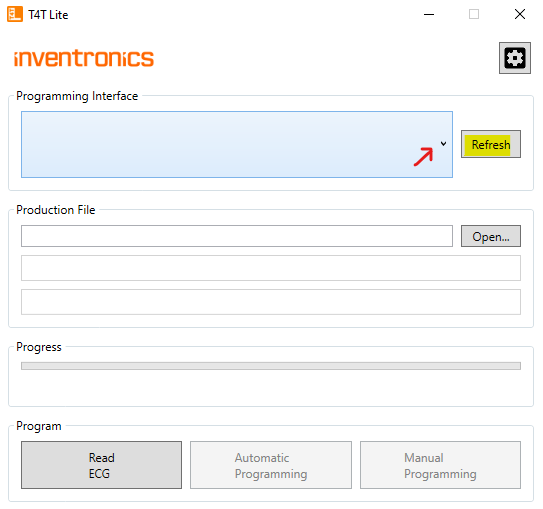
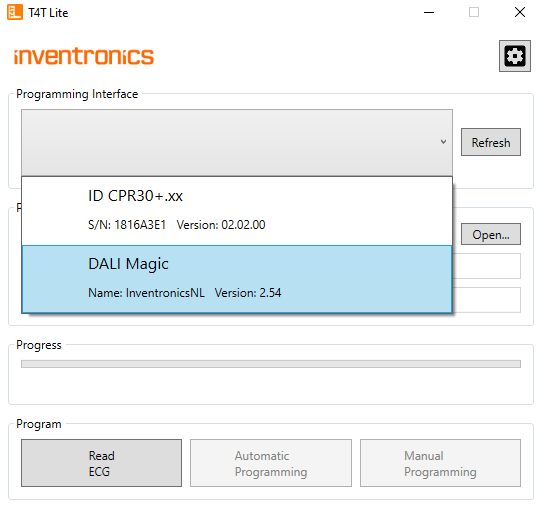
- After refreshing, click the small drop-down menu arrow and choose a connected programmer tool.
Program a driver from a Production File
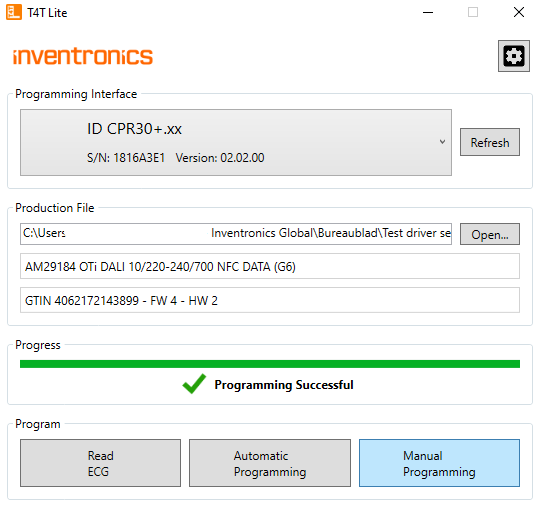
- Open a program file from your computer.
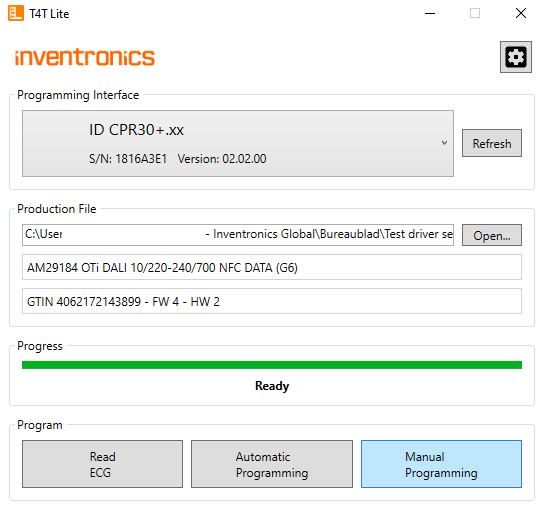
- Click Automatic Programming or Manual Programming to program your driver(s).
Read a driver and copy its settings to a replacement
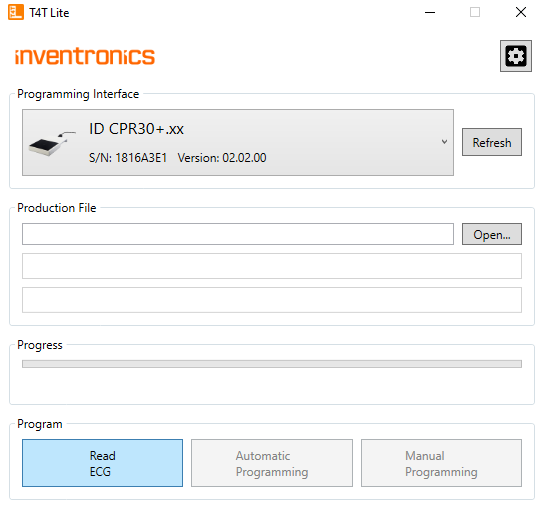
- Click Read ECG to read an existing driver.
- After reading the driver, either open it in the Online configurator or paste its settings to a replacement driver.
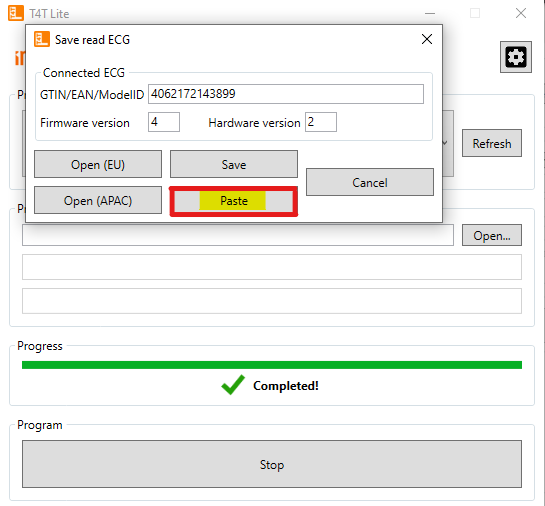
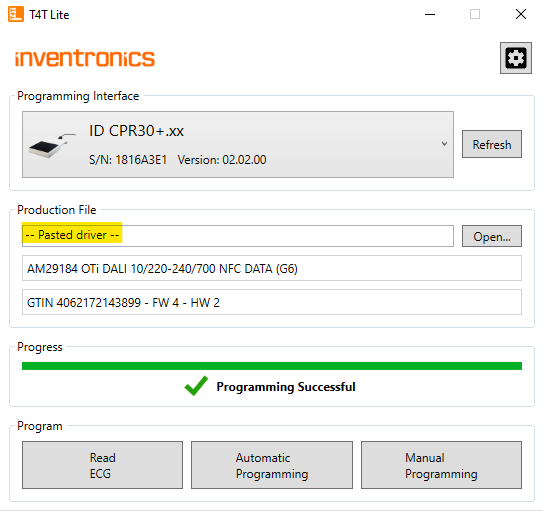
The following screenshot shows successful programming of the replacement driver using the pasted settings: